Overview
If your PC is running slow, items aren't printing or the sound or microphone is not working a PC Restart may fix the problem. These little issues can be resolved just by restarting your PC.
Instructions
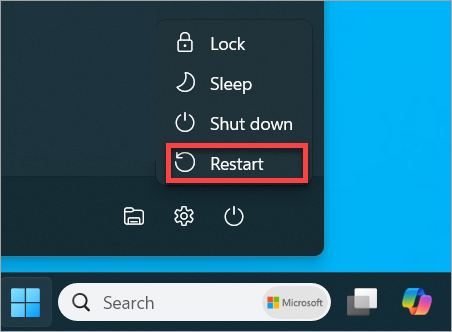
To restart your PC do the following:
Click the Windows button on the bottom of your screen

Then click the power options button

Then select "Restart" it is important that you select Restart and not "Shut Down"
Other Information
After performing a restart if the issue still isn't resolve,create a ticket in our portal or reach out to HELPDESK.